Invoice Email Template: 5 Examples You Can Copy
Copy these invoice email templates for new clients, regular clients and deposits, plus tips on subject lines and what every invoice email should include.
An invoice email template is a short, ready to use message you send with your invoice attached. A good one includes a clear subject line with the invoice number, the amount due, the due date, how to pay and a polite thank you. Keep it to a few lines so your client can see what to do in seconds.
Why the email matters as much as the invoice
Your invoice holds the details, but the email is what your client reads first. If the email is vague, it can sit unopened in an inbox or get forwarded to the wrong person. A clear email gets your invoice to the right desk and makes paying feel easy.
A few things a good invoice email does for you:
- It tells the client exactly what they owe and by when, without opening the attachment.
- It gives accounts teams the invoice number they need to match the payment.
- It sets a friendly, professional tone, which helps if you later need to send a reminder.
- It creates a dated record that you sent the invoice.
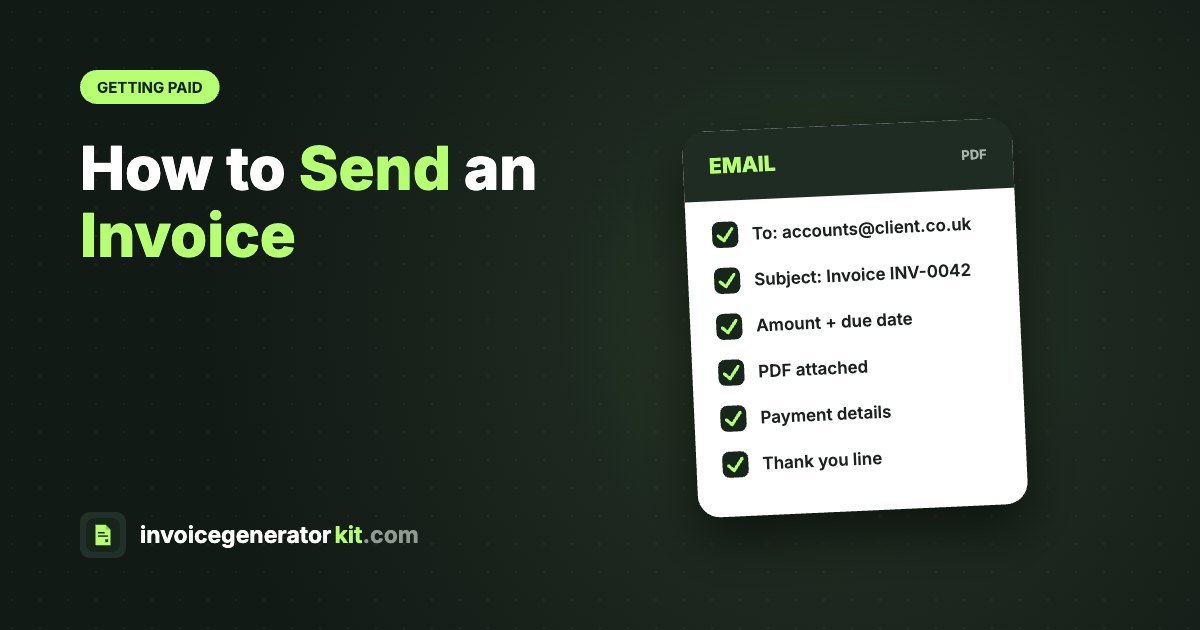
What to include in an invoice email
| Element | Why it matters | Example |
|---|---|---|
| Subject line | Gets the email opened and makes it easy to search for later | Invoice #1042 from Green Studio, due 20 March 2026 |
| Greeting | Personal and polite | Hi Sarah, |
| Invoice number | Lets accounts match the payment | Invoice #1042 |
| Amount due | The client knows the figure at a glance | $1,250.00 |
| Due date | A real date, not only "Net 14" | 20 March 2026 |
| What it covers | Reminds them what the work was | Website copy for the spring campaign |
| How to pay | Removes the main excuse for delay | Bank details are on the invoice |
| Attachment | The invoice itself, as a PDF | Invoice_1042_GreenStudio.pdf |
| Sign off | Your name and contact details | Thanks, Alex |
If you are not sure what belongs on the invoice itself, read what to include on an invoice.
Standard invoice email template
This is the template most freelancers and small businesses can use for everyday invoices. Copy it and swap in your details.
Subject: Invoice #1042 from Green Studio, due 20 March 2026
Hi Sarah,
Thank you for working with me on the spring campaign. Please find attached invoice #1042 for $1,250.00, which covers the website copy delivered on 4 March.
Payment is due by 20 March 2026. You can pay by bank transfer using the details on the invoice, quoting the invoice number as the reference.
Let me know if you have any questions.
Thanks,
Alex Morgan
Green Studio
Short invoice email for regular clients
When you invoice the same client every month, a long email is not needed. A short version works well and still covers the essentials.
Subject: April invoice #1057, £640.00 due 15 May 2026
Hi James,
Here is my invoice for April, attached as a PDF. The total is £640.00, due by 15 May 2026.
Thanks as always,
Priya
Invoice email for a new client
With a first invoice, it helps to be a little more detailed. The client may not know your process yet, and their accounts team may need extra information.
Subject: Invoice #1001 for logo design, due 30 April 2026
Hi Daniel,
It was great working with you on the new logo. Attached is invoice #1001 for $900.00.
Here is a quick summary:
Amount due: $900.00
Due date: 30 April 2026 (Net 14, as agreed in the quote)
Payment: bank transfer, details on the invoice
If your accounts team needs a purchase order number or a supplier form from me, just let me know and I will send it over.
Best regards,
Mia Chen
Invoice email for a deposit or upfront payment
If you ask for part of the fee before you start, make it clear that work begins once the deposit arrives. You can read more in our guide to the deposit invoice.
Subject: Deposit invoice #1063 for kitchen fitting, due 2 June 2026
Hi Tom,
Thanks for confirming the job. As agreed, attached is the deposit invoice #1063 for £1,500.00, which is 50% of the quoted total.
Once the deposit is paid, I will book your start date and order the materials. The balance will be invoiced on completion.
Kind regards,
Ryan
How to write a good invoice email subject line
The subject line decides whether your email is opened today or next week. Aim for something a busy person can understand in one glance.
- Start with the word "Invoice" so it is easy to spot and search.
- Add the invoice number.
- Add your business name if the client works with many suppliers.
- Add the amount or the due date, or both if it still reads cleanly.
Some examples that work:
- Invoice #1042 from Green Studio
- Invoice #1042, $1,250.00 due 20 March 2026
- March invoice from Priya Shah Design
Avoid vague subjects such as "Hi" or "Document attached". They are easy to miss and can look like spam.
Tips for sending invoice emails
- Send a PDF, not an editable file. A PDF looks the same on every device and is harder to change by accident.
- Name the file clearly. Something like Invoice_1042_GreenStudio.pdf is easier to find than scan001.pdf.
- Send it to the right person. Ask early who handles payments. Many businesses have a separate accounts email address.
- Send it promptly. Invoice as soon as the work is delivered while the value is fresh in the client's mind.
- Keep the tone friendly. Your first email is not the place for warnings about late fees. Those belong in your terms.
- Write the real due date. "Net 30" is clear to you, but a date such as 20 March 2026 removes any doubt. See invoice payment terms for the common options.
How to create the invoice to attach
Before you can send the email, you need a clean invoice PDF. The free InvoiceGeneratorKit invoice generator lets you add your logo, client details, line items, tax and discounts, then download a vector PDF ready to attach. There is no sign up needed, invoice numbers are added automatically, and you can mark each invoice as paid in History once the money arrives.
InvoiceGeneratorKit does not send emails for you, so you download the PDF and attach it in your own email app, using one of the templates above. For a full walkthrough, read how to send an invoice.
What to do if the client does not pay
Even with a perfect email, some invoices slip. Send a polite reminder a few days before the due date and another the day after it passes. Keep it short, restate the invoice number, amount and due date, and attach the invoice again. Our guide to the payment reminder email has wording you can copy, and how to chase an unpaid invoice covers the next steps if reminders do not work.
Frequently asked questions
What should I write in an email when sending an invoice?
Include a greeting, the invoice number, the amount due, the due date, how to pay and a short thank you. Attach the invoice as a PDF.
What is a good subject line for an invoice email?
Start with the word Invoice, then add the invoice number and either the amount or the due date, for example: Invoice #1042, $1,250.00 due 20 March 2026.
Should I attach the invoice as a PDF?
Yes. A PDF keeps your layout the same on every device and is harder to edit by accident than a Word or spreadsheet file.
Can InvoiceGeneratorKit email my invoice for me?
No. InvoiceGeneratorKit creates the invoice and lets you download it as a PDF for free. You then attach it to an email from your own inbox.
Create your invoice now
Add your logo, line items and tax, see it on a real A4 page, then download a clean PDF. Free, with no sign up.